SMS Messaging
Reach your audience by text. Modality can send SMS campaigns and event blasts either through its own platform sending (metered against your plan) or through your own Twilio account. This guide covers the two sending modes, how credits are metered, the compliance guardrails baked into every send, the automatic STOP footer, quiet hours, and per-contact frequency caps, how message length turns into billable segments, and how opt-in consent is captured and honored.
Two Ways to Send: Platform vs Your Own Twilio
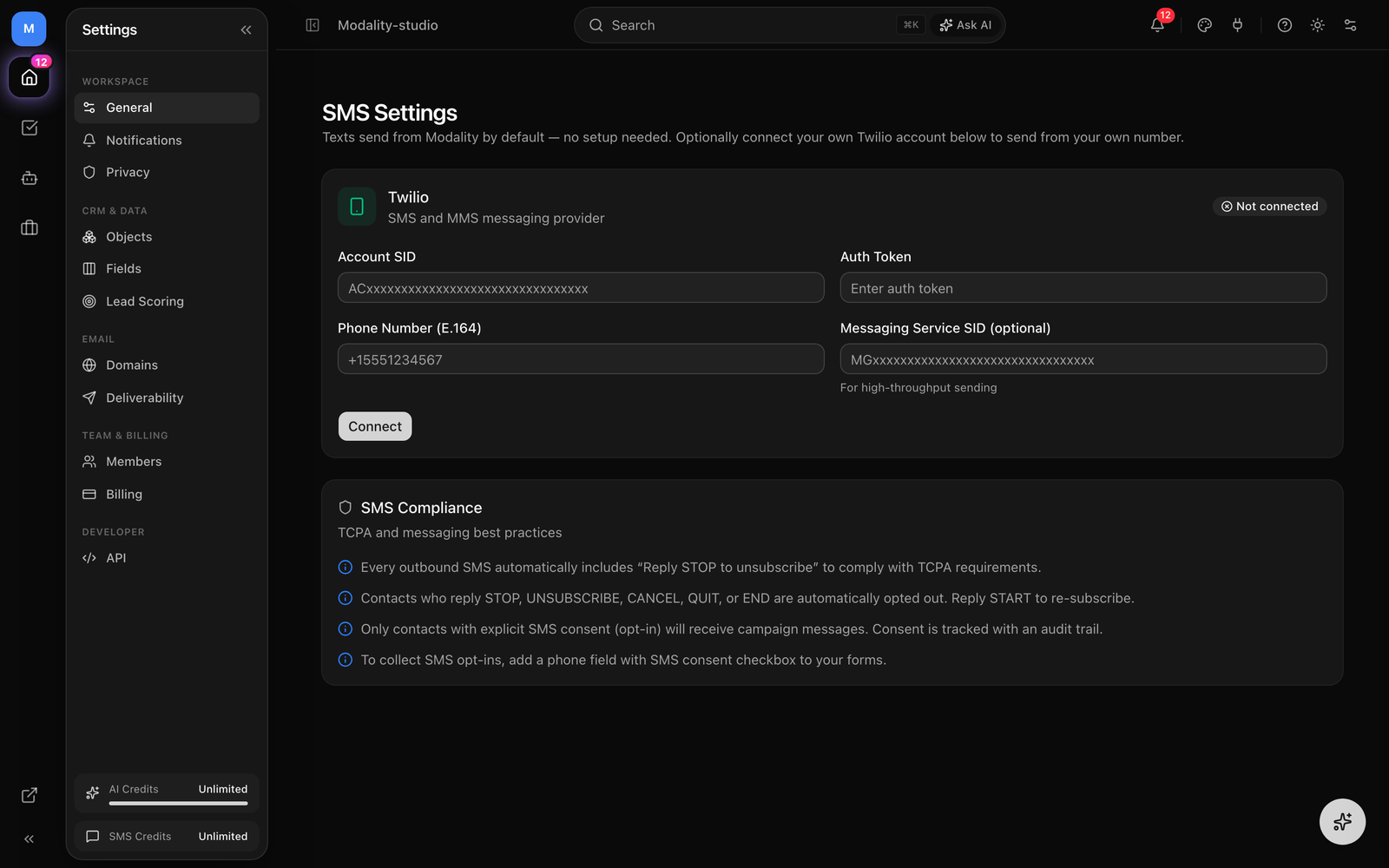
Every SMS send resolves to one of two Twilio accounts. Modality picks automatically: if your workspace has a connected, active Twilio integration, that bring-your-own (BYO) account is used; otherwise the message goes out through Modality's platform Twilio. This mirrors how email defaults to Modality's own sender until you connect your own.
- SMS via Modality (platform), the default. Messages send from Modality's branded Twilio number/messaging service. These sends are metered against your plan's included SMS allowance plus any prepaid packs (see Credits & Metering). No Twilio account required.
- Bring your own Twilio (BYO), connect your own Twilio in Integrations with an Account SID, Auth Token (or API Key SID + secret), and either a From number or a Messaging Service SID. When present and active, it takes priority and messages bill directly to your Twilio account. BYO sends are not metered by Modality.
Sending an SMS Campaign or Blast
SMS is one of Modality's campaign channels alongside email. You can send a standalone SMS campaign to a list or segment, or fire an SMS blast to the guests of a specific event.
- 1
Choose your audience
Pick a list or a saved segment. Only contacts that have both a phone number and SMS consent are eligible, everyone else is filtered out automatically before the send (see Opt-In & Consent).
- 2
Write the message
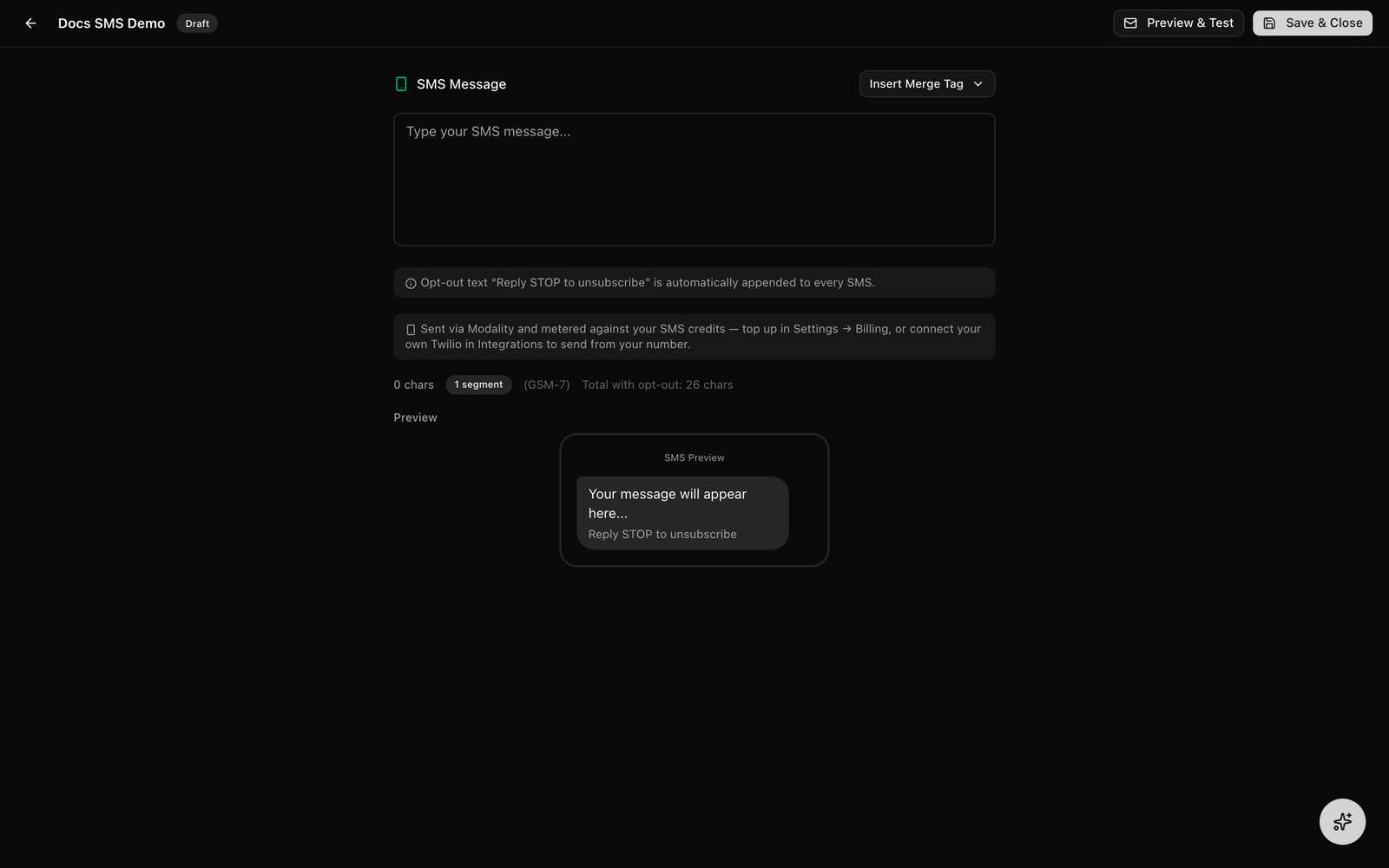
Compose the body (up to 1,600 characters). Insert merge tags like
{{first_name}},{{full_name}}, or any{{custom_key}}bound to a contact field, the same resolver used for email personalizes each recipient's text. - 3
Review length & segments
The composer shows how many segments each message will cost. Longer messages and emoji increase segment count (see Segments & Encoding). For platform sends this is also your credit cost.
- 4
Send or schedule
On send, Modality checks quiet hours, resolves the sender, runs a pre-flight credit check for platform sends, then delivers one message per second (long-code rate limit). The automatic STOP footer is appended to every message.
As messages go out, each one is written to the message log with a status of queued → sent, then updated to delivered or failed via Twilio's status callback. The campaign records totals for sent, failed, and skipped recipients.
GIF: composing an SMS campaign, watching the segment counter update as text is typed, then sending and seeing the per-recipient statuses move from queued to sent/delivered.
Demo GIF / screenshot to be added
Credits & Metering (Platform Sends)
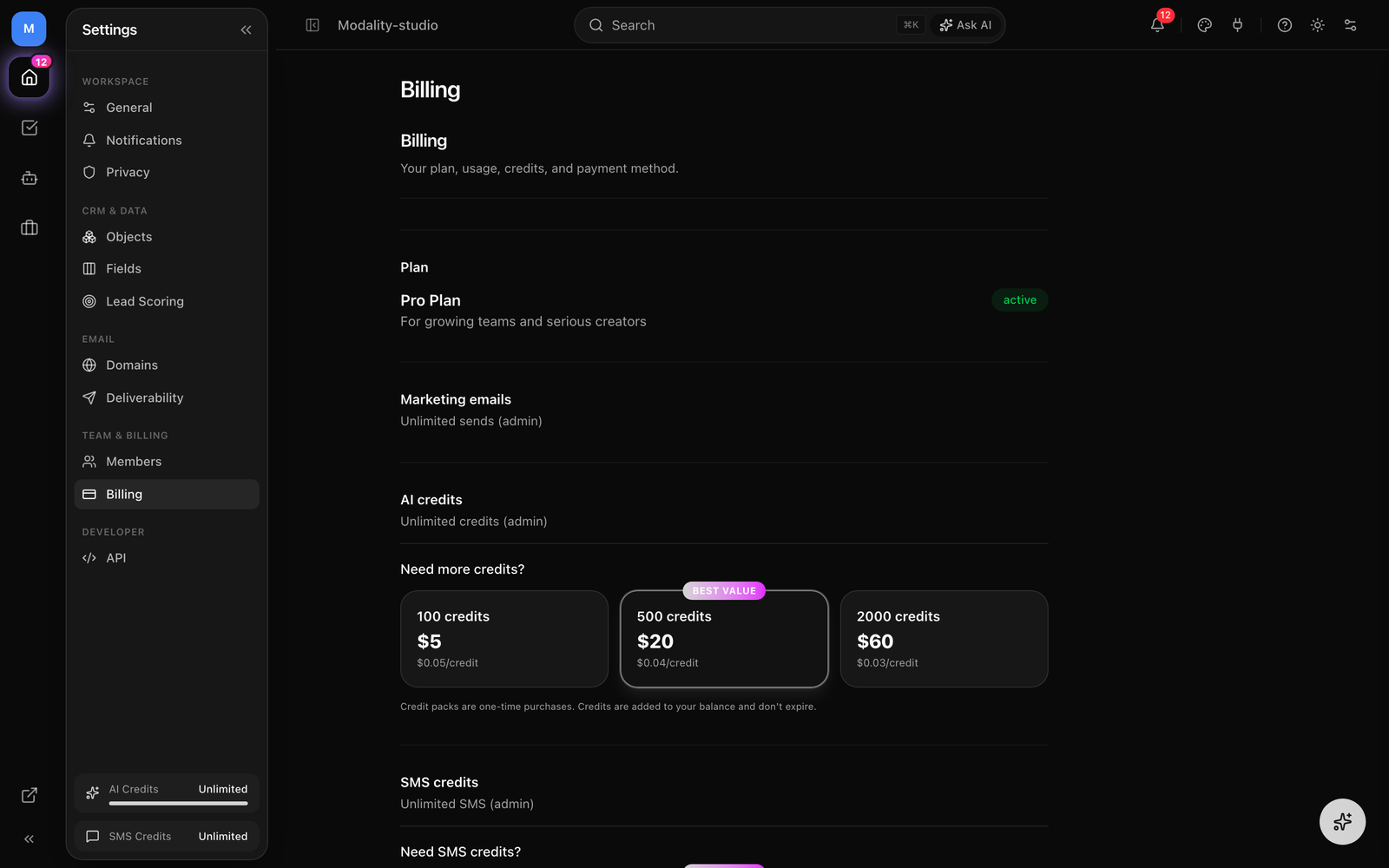
SMS costs roughly 25× an email to send, so platform SMS is metered per segment as genuine cost-recovery. Each plan includes a monthly SMS allowance; sends draw from that allowance first, then from any prepaid SMS packs.
- Free,
0included SMS segments per cycle. - Pro,
100included SMS segments per cycle. - Business,
500included SMS segments per cycle.
The plan allowance resets each billing cycle. Prepaid SMS packs are a separate, persistent balance: they're drawn only after the cycle allowance is used up and carry over across cycles until spent. Buy packs in Settings → Billing.
What Happens When Credits Run Out
- Card on file + billable plan, sends beyond the allowance and packs are auto-charged as metered overage, so the send is never pre-blocked.
- Free / card-less / lapsed, a pre-flight check estimates the segments needed; if that exceeds what's left, the send is blocked before it starts with a prompt to buy an SMS pack or connect your own Twilio. If credits run out mid-send, the send stops cleanly rather than silently dropping messages.
Metering applies only to platform sends. Segments credited to a message that then fails at Twilio are automatically refunded to your balance. BYO Twilio sends are billed by Twilio directly and don't touch your Modality credits at all.
Segments & Encoding (GSM-7 vs UCS-2)
Carriers bill SMS per segment, not per message. How many characters fit in a segment depends on the encoding, which is chosen automatically from the characters in your message:
- GSM-7, used when every character is in the standard GSM alphabet (basic Latin letters, digits, common punctuation).
160characters per single segment;153per segment once a message spans multiple segments (the extra bytes carry the multi-part header). - UCS-2, used the moment the message contains any non-GSM character, such as an emoji or an accented letter outside the GSM set. This drops capacity to
70characters per single segment, or67per segment in a multi-part message.
In short: a single emoji can more than double the cost of a message by switching it from GSM-7 to UCS-2. The composer's live counter reflects the encoding and segment count so there are no surprises. Metering rounds up conservatively, a message always costs at least one segment.
"Reply STOP to unsubscribe" footer is part of the message body and counts toward its length and segment total. A message sitting just under a segment boundary may tip into a second segment once the footer is appended.Screenshot: the composer character counter showing a GSM-7 message at 160 chars / 1 segment, then a version with an emoji flipping to UCS-2 at 70 chars / segment.
Demo GIF / screenshot to be added
Compliance Guardrails
Modality enforces SMS best practices automatically on every send so you stay compliant without extra work.
Automatic STOP Footer
Every campaign SMS has "Reply STOP to unsubscribe" appended to the body, you don't write it and can't forget it. When a recipient replies with an opt-out keyword, they're unsubscribed immediately and never texted again unless they opt back in.
Quiet Hours
Following TCPA best practice, Modality will not send SMS during quiet hours, before 8:00 AM or after 9:00 PM. If you trigger a send inside that window, it's refused with a prompt to schedule it for later. Quiet-hours evaluation defaults to America/New_York when a recipient has no timezone on file.
Per-Contact Frequency Cap
To avoid fatiguing recipients and triggering spam complaints, each contact can receive at most 6 SMS per calendar month. During a send, any contact who has already hit that cap this month is skipped (and counted in the campaign's skipped total), the rest of the audience still goes through. The count includes outbound messages marked sent or delivered since the 1st of the month.
Rate Limiting
Messages are sent one per second to respect Twilio long-code throughput. Large audiences send over time rather than all at once; this is transparent to you and to recipients.
Screenshot: the quiet-hours block message shown when attempting a send after 9pm, and a campaign summary listing skipped recipients due to the monthly frequency cap.
Demo GIF / screenshot to be added
Opt-In & Consent
A contact is only eligible for SMS when they have a phone number and SMS consent on record. Consent is captured explicitly, for example, an attendee who checks the SMS-updates box on an event RSVP is opted in, and the moment is written to a consent log with a timestamp for your records.
Opt-out and opt-in are also driven by the recipient's own replies, handled through Twilio's inbound webhook:
- Opt-out keywords:
STOP,UNSUBSCRIBE,CANCEL,QUIT,END. The contact's consent is revoked, the opt-out is timestamped and logged, and they receive a confirmation reply. - Opt-in keywords:
START,YES,SUBSCRIBE,UNSTOP. Consent is restored (any prior opt-out cleared) and confirmed back to them.
Consent state stays in sync between a contact and its unified People record, so an opt-out anywhere removes that person from every future SMS audience.
Phone Numbers & E.164
Twilio requires phone numbers in E.164 format (e.g. +19185551234), and that's how Modality stores them canonically. You don't have to type them that way, capture forms format numbers for humans as you type, and the server normalizes to E.164 on save.
- A bare 10-digit US number becomes
+1XXXXXXXXXX. - A number already carrying a
1country code is normalized to+1…. - International numbers must arrive with a leading
+, they're kept as-is and never coerced to a US number. - A number that can't be resolved confidently is treated as "no sendable phone," so that contact is simply skipped rather than sent a malformed message.
The sender normalizes once more defensively at send time, so legacy contacts stored in mixed formats, dashed, parenthesized, or bare digits, still deliver correctly.