August 26, 2026 · Modality
From Online Orders to a Daily Kitchen Prep Sheet
Great catering order management ends with a clean prep sheet: how many of each item to make, and who has paid. Here is how to get there automatically.
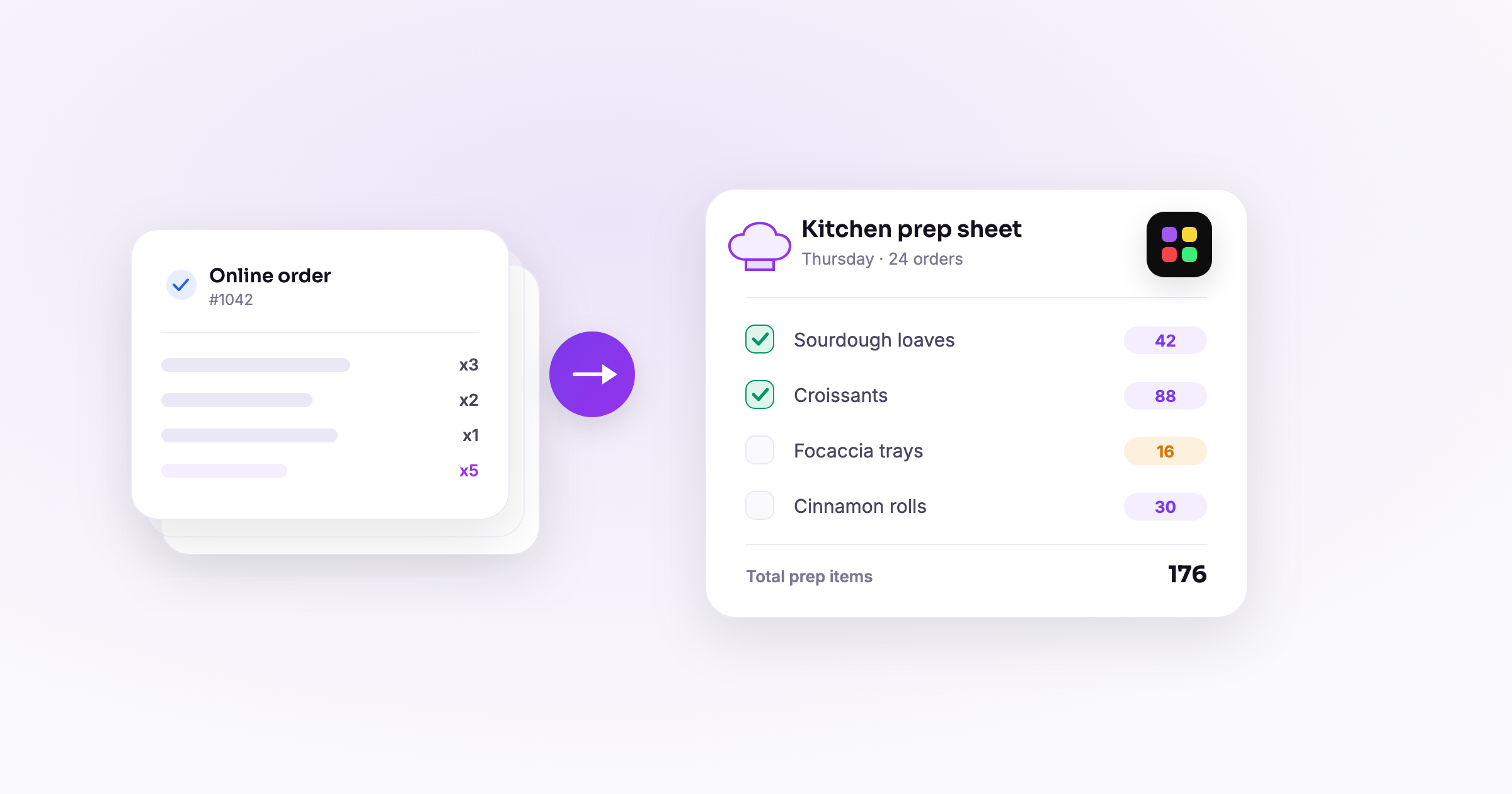
Good catering order management software does not stop at collecting orders. Its real job is turning those orders into two things your kitchen actually runs on: a clean prep sheet (how much of each item to make) and a paid roster (who ordered and whether they paid). The order form is just the front door. The prep sheet and the roster are what get you through service.
If you take food orders online and then re-tally them by hand into a cooking list, this is for you. Below is why manual tallying hurts, what a proper "by item" prep view and "by person" roster look like, and how the whole thing builds itself the moment an order comes in.
What should catering order management software actually produce?
Ask what you truly need at 6am on a prep day and it is not "a list of form submissions." It is two clear outputs:
- A prep list that says exactly how many of each item to make for this period.
- A roster that says who ordered what, whether they have paid, and how to reach them.
Everything else is a means to that end. The best catering software for small business treats the form as the start of a pipeline that ends in those two views, generated automatically. A catering order form that dumps raw rows into a spreadsheet and calls it done leaves the hardest work (turning orders into a cookable plan) on your plate.
Modality is built around this. Orders come in through a pay-enabled form and flow straight into order reports: a running total by item and a per-person roster with payment status. No export, no re-typing.
Why does manual tallying cost you so much?
Tallying orders by hand is the quiet tax on most food operations. It feels like ten minutes; it is not.
It is slow and it scales badly
Counting how many of each dish across 40 orders means scrolling a spreadsheet, sorting, and adding. Do it every week and it is hours a month. Grow to 80 orders and it doubles, right when you have the least time.
It goes stale the instant an order arrives
A hand tally is a snapshot. The moment a new order lands or someone changes theirs, your count is wrong, so you either recount or cook from stale numbers. This is exactly where over- and under-production come from.
It is where mistakes hide
Miscount one column and you make 10 too few of something, or 15 too many. In a food business that is either a customer without their order or product straight into the trash. Both cost money, and both are avoidable.
Payment tracking gets divorced from orders
When orders live in one place and payments in another, confirming who paid becomes a reconciliation chore. You end up chasing unpaid pickups from memory instead of from a list.
What is a "by item" prep view and why does it matter?
The "by item" view is your kitchen prep list: it rolls up every order for the period into a single total per item. Not 40 individual orders, one line per dish with the number to make.
It reads like this:
- Roast chicken bowl: 34
- Vegetarian pasta: 18
- Garden salad: 22
- Brownie: 41
That is the whole shopping and cooking plan on one screen. The important part is that it is live: as orders come in, the totals climb, and as someone changes an order, the numbers correct themselves. You are never cooking from a number you counted by hand three hours ago. When the order cutoff passes, the totals lock and that is your production run for the period. This is the core of food order management: knowing exactly what to make, updated in real time, with zero counting.
What is the "by person" roster and how do you use it?
The "by person" view is the flip side: every order listed by customer, with what they ordered and their payment status. Where the item view drives the kitchen, the roster drives fulfillment and money.
You use it for three things:
- Packing and confirming at pickup. At the counter you pull up the person, see their exact order, hand it over, and check them off. No hunting through a stack of printouts.
- Confirming payment. Each person shows paid or unpaid at a glance, so you know before handoff whether money is settled.
- Chasing the unpaid. Filter to unpaid and you have your follow-up list, no cross-referencing a separate payment log.
Because Modality collects payment at order time through Stripe, most of the roster is already marked paid, and the unpaid list stays short. Pair that with the reporting layer and you can slice orders however you need. See order reports and analytics for the by-item and by-person breakdowns.
How does the prep sheet build itself automatically?
The magic is that you never assemble any of this. It builds as a byproduct of ordering. Here is the flow end to end:
- A customer places an order. They open your order form, pick items and quantities, and pay at checkout.
- The order lands as structured data. Each line item and the payment record are captured, not as free text but as fields the system can add up.
- The by-item total updates instantly. That order's quantities roll into the running prep totals in real time.
- The by-person roster updates too. The customer appears on the roster with their items and a paid status.
- Ordering closes at the cutoff. When the window ends, both views freeze into your final prep sheet and pickup roster for the period.
Two things make this reliable. First, structured line items mean the software can total across orders without you parsing anyone's typing. Second, payment happens at order time, so the roster is accurate the moment it is created. Add automated order reminders before the cutoff and you also pull in the stragglers, so the finished sheet reflects everyone, not just the early birds.
What does this look like for different food businesses?
A catering company
A caterer running weekly orders opens the by-item view on prep morning and cooks straight to the totals, no counting. At pickup, staff work the by-person roster to hand off orders and confirm payment. What used to be an hour of spreadsheet tallying is now a screen they glance at.
A meal-prep business
With a rotating menu, the by-item totals tell the kitchen exactly how many of each meal to batch for the week. The roster becomes the pack-out list, and because payment was taken up front, almost every line is already settled.
A ghost kitchen
Running multiple concepts out of one space, a ghost kitchen lives or dies on production accuracy. Live by-item totals per period keep prep tight so nothing is over-made, and the roster keeps handoffs straight across brands. This is where catering order management software earns its keep: less waste, cleaner service.
Frequently asked questions
Does catering order management software replace my spreadsheet?
Yes. Instead of exporting orders and tallying them by hand, the by-item prep view and by-person roster build automatically from each order, and they update live as orders come in and change.
Can I see how much of each item to make for a period?
That is exactly what the by-item view is for. It rolls every order into one total per item, so you get a single prep list of quantities to produce, updated in real time until the cutoff.
How do I track who has paid?
The by-person roster shows payment status for every order. Because payment is collected at order time through Stripe, most orders are already marked paid, and you can filter to the unpaid ones to follow up.
What happens when ordering closes?
At the cutoff, the by-item totals and the roster freeze into your final prep sheet and pickup list for that period. You cook from the totals and fulfill from the roster.
Turn orders into a prep sheet and a paid roster, automatically. Set up your catering order flow in Modality and let the kitchen list and the roster build themselves from every order. Start free and see it work on your next period.
Run it all in one place
Modality brings your CRM, ticketing, forms, payments, and marketing together, with AI that sets it up for you.
Start free