August 19, 2026 · Modality
Automated Order Reminders That Cut Late Orders
Late and missed orders wreck your prep. An automated reminder before the cutoff nudges the people who have not ordered yet, and only them.
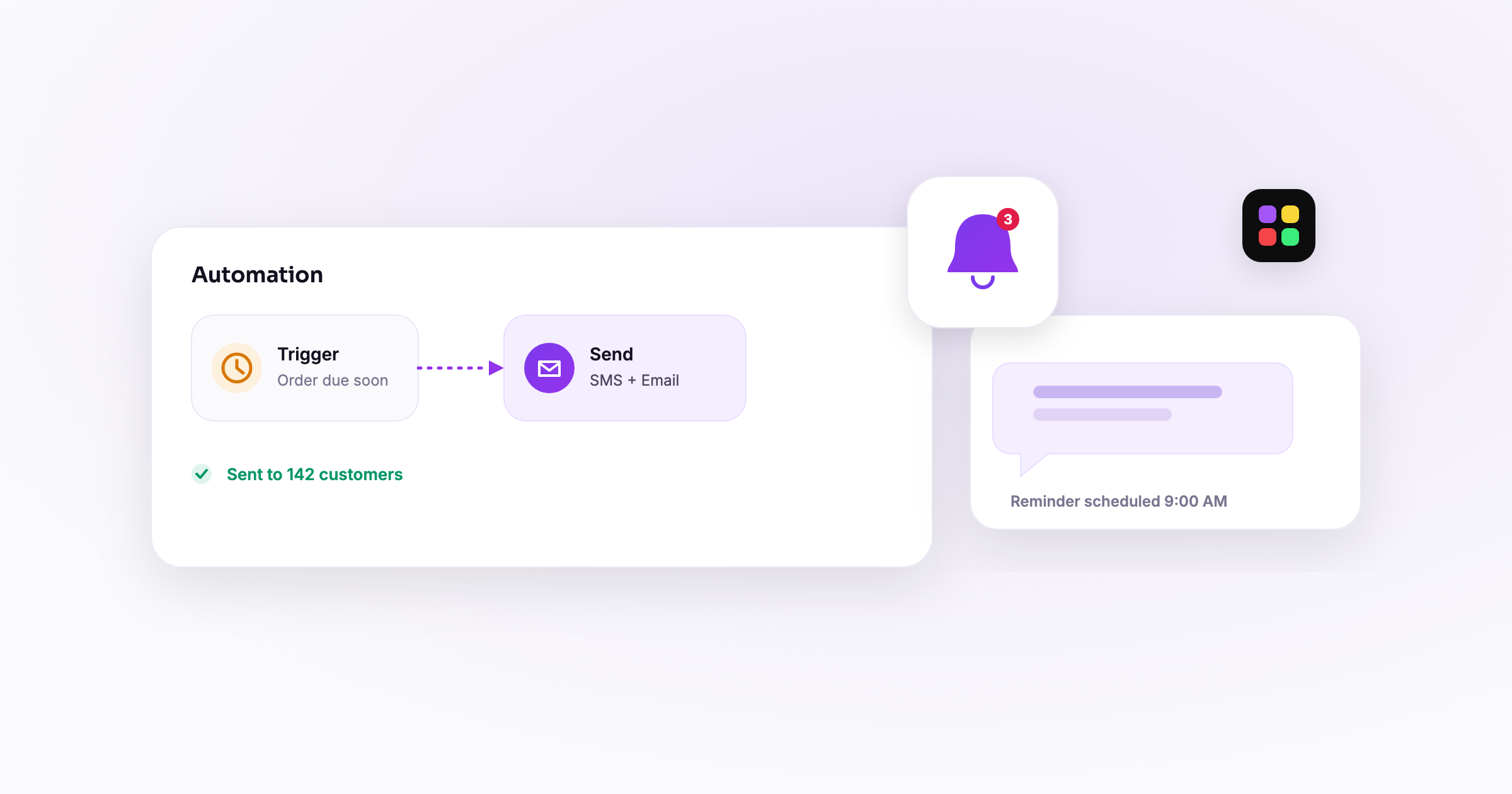
An order reminder email is an automated message that goes out before your ordering deadline to nudge customers who have not placed an order yet, so fewer of them miss the cutoff. The trick that makes it work is targeting: you only email the people who still have not ordered, timed a set number of hours before the window closes. Do that, and late orders drop without you lifting a finger every week.
Most missed orders are not a pricing problem or a menu problem. They are an attention problem. Below is why customers miss deadlines, how an automated order deadline reminder fixes it, the one targeting detail that makes or breaks it, and how to set the whole thing up.
Why do customers miss ordering deadlines?
People do not miss your cutoff because they lost interest. They miss it because ordering was a small task competing with a full day, and it slipped. If you run any kind of recurring ordering, you have seen the pattern: a flurry of orders when you post the link, a long quiet stretch, then a rush of "did I miss it?" messages the morning after the deadline.
The usual causes are simple:
- They saw your link on Monday, meant to order later, and forgot.
- They never saw the link at all because it scrolled past in a busy inbox or feed.
- They did not realize there was a cutoff, or forgot when it was.
None of that is solved by posting the link harder. It is solved by a well-timed order cutoff reminder that reaches the right people at the right moment.
How does an automated order reminder cut late orders?
An automated reminder email works because it removes the two things that cause missed orders: forgetting, and not knowing the deadline. Instead of relying on a customer to remember, your system remembers for them and reaches out a few hours before ordering closes.
Done right, an order reminder email does three jobs at once:
- Reminds them the window exists and states the exact cutoff time.
- Gives them the direct link so ordering is one tap away.
- Creates urgency because the deadline is now, not "sometime this week."
Because it is automated, it fires on every ordering cycle without you rebuilding it. Set it once against your recurring order form and it runs every period. This is the compounding win: a small piece of setup that quietly recovers orders week after week and helps you reduce missed orders for good.
Who should get the reminder (the targeting detail that matters most)?
This is the part people get wrong, so read it twice: only email the people who have NOT ordered yet. Never blast the whole list.
If you send the reminder to everyone, you email customers who already ordered and paid. Best case, you annoy them with a "don't forget to order" message when they clearly did. Worst case, a few of them think their order did not go through and order again, and now you have duplicates to untangle. Either way you train people to ignore your reminders, which kills the whole tactic.
The right audience is a segment: everyone who is a customer for this period minus everyone who has already placed an order for this period. That leaves exactly the people the reminder is meant to reach. Modality's automation engine lets you filter on order status, so the reminder only goes to unordered contacts and updates itself as more people order. Someone who orders at 2pm is automatically excluded from the 4pm reminder.
When should the order reminder email go out?
Timing is a balance. Too early and it feels premature, so people plan to order later and forget again. Too late and you catch people after they are already booked up for the evening. Tie the send to your cutoff, not to a fixed clock time.
A reliable pattern for a same-week ordering cycle:
- 24 hours before cutoff: the main reminder. This catches most stragglers while there is still plenty of time to order.
- 3 to 4 hours before cutoff: an optional "last call" for anyone still unordered. Short, urgent, deadline in the subject line.
Two touches is usually plenty. If your ordering window is longer (a monthly box, say), stretch the first reminder to 48 or 72 hours before cutoff. The key is that both sends are measured from the deadline, so they stay correct every period even as your cutoff dates shift.
What should an order reminder email say?
Keep it short, specific, and easy to act on. The customer should understand the deadline and reach the order link within a couple of seconds. Here are two templates you can lift.
Template 1: catering business (24 hours out)
Subject: Friday lunch orders close tomorrow at noon
Hi Sam, this is a quick reminder that ordering for Friday's lunch closes tomorrow (Thursday) at 12:00pm. If you would like a meal for Friday, place your order here: [order link]. This week's menu includes [dish], [dish], and [dish]. Thanks!
Template 2: weekly meal program (last call, 3 hours out)
Subject: Last call: orders close at 6pm today
Hi Alex, ordering for next week's meals closes today at 6:00pm, and we have not received your order yet. If you would like meals next week, grab them here before the cutoff: [order link]. After 6pm the menu locks and we start prep. See you next week!
Notice what both do: the deadline is in the subject line, the ask is one sentence, and the link is right there. The last-call version explicitly says "we have not received your order yet," which is only honest and only sensible because you targeted unordered customers.
How do you set up automated order reminders (step by step)?
The whole thing is a single automation you build once against your order form.
- Start from your order form. Your recurring order form already knows the current period and its cutoff, which is what the reminder times against.
- Create a new automation. In the automations builder, add a workflow triggered a set number of hours before the period's order cutoff.
- Set the audience filter. Filter to customers for this period who have not placed an order. This is the crucial step that keeps you from emailing people who already ordered.
- Add the send-email action. Drop in the email step and paste one of the templates above, with the direct order link and the exact cutoff time.
- Add a last-call step (optional). Duplicate the workflow for a shorter lead time (3 to 4 hours out) with the "last call" copy, keeping the same unordered filter.
- Turn it on and leave it. Because it triggers off the cutoff and refilters each cycle, it runs every ordering period automatically.
How does this play out for real businesses?
A catering business
A caterer taking weekly lunch orders sets one reminder 24 hours before the Thursday noon cutoff, targeted only at parents who have not ordered for that week. Order volume climbs because the people who meant to order but forgot get a timely nudge, and nobody who already paid gets pestered.
A weekly meal program
A meal-prep kitchen runs a 48-hour reminder plus a 3-hour last call, both filtered to unordered subscribers. The result is fewer "I forgot to order" messages after the deadline and a more predictable prep count, because most stragglers now convert before the window closes.
Once your reminders are recovering those late orders, the next step is turning the finished order list into a clean workflow. See how to build a kitchen prep sheet from online orders so what people ordered flows straight to the kitchen and the pickup roster.
Frequently asked questions
Should I send order reminders to everyone on my list?
No. Only send to customers who have not ordered yet for the current period. Emailing people who already ordered annoys them and can cause duplicate orders, and it trains everyone to ignore your reminders.
How many order reminders should I send before the cutoff?
One or two is plenty for a weekly cycle: a main reminder about 24 hours out and an optional last call 3 to 4 hours before the deadline. More than that starts to feel like spam.
How does the reminder know who has not ordered?
The automation filters on order status for the current period, so it only includes contacts without an order. As people order, they drop out of the audience automatically, and a later reminder skips them.
Do I have to rebuild the reminder every week?
No. The automation triggers a set number of hours before each period's cutoff and refilters the audience every cycle, so you build it once and it runs on every ordering period.
Stop losing orders to forgetfulness. Set up an automated order reminder in Modality, target only the people who have not ordered, and watch late orders shrink every cycle. Start free and build yours today.
Run it all in one place
Modality brings your CRM, ticketing, forms, payments, and marketing together, with AI that sets it up for you.
Start free